Categories
- Architecture
- Art & Illustration
- Blog
- Business
- Company
- Corporate
- Culture
- Design Agencies
- Designer
- Developer
- E-Commerce
- Education
- Entertainment
- Events
- Experimental
- Fashion
- Film & TV
- Finance
- Food & Drink
- Games
- Health
- Hotel & Restaurant
- Institutions
- Lifestyle
- Magazine
- Mobile & Apps
- Music & Sound
- Newspaper
- Organization
- Other
- Personal
- Photography
- Portfolio
- Promotional
- Real Estate
- Resource
- Social
- Sports
- Startups
- Technology
- Themes
- Web & Interactive
- Web Designer
- Web Developer
Tags
- Animation
- App Style
- Background Images
- Bootstrap
- Bright
- Canvas
- Carousel
- Clean
- Colorful
- Design
- Drupal
- Fixed Navigation
- Flat Design
- Fluid
- Fullscreen
- Gallery
- Graphic design
- Grid
- Horizontal Layout
- Icons
- Illustration
- Infinite Scroll
- Interaction
- Interaction Design
- Menu - Horizontal
- Menu - Vertical
- Minimal
- One Page
- Parallax
- Photo & Video
- Photography
- Portfolio
- Responsive
- Responsive Design
- Retro
- Scrolling
- SEO
- Social Integration
- Sound-Audio
- Storytelling
- SVG
- Texture
- Transitions
- Typography
- UI design
- Vector
- Video
- Web Fonts
- WooCommerce
- WordPress
 Previous
 Next
NextGemini Omni Video AI Generator
Gemini Omni Video
from United States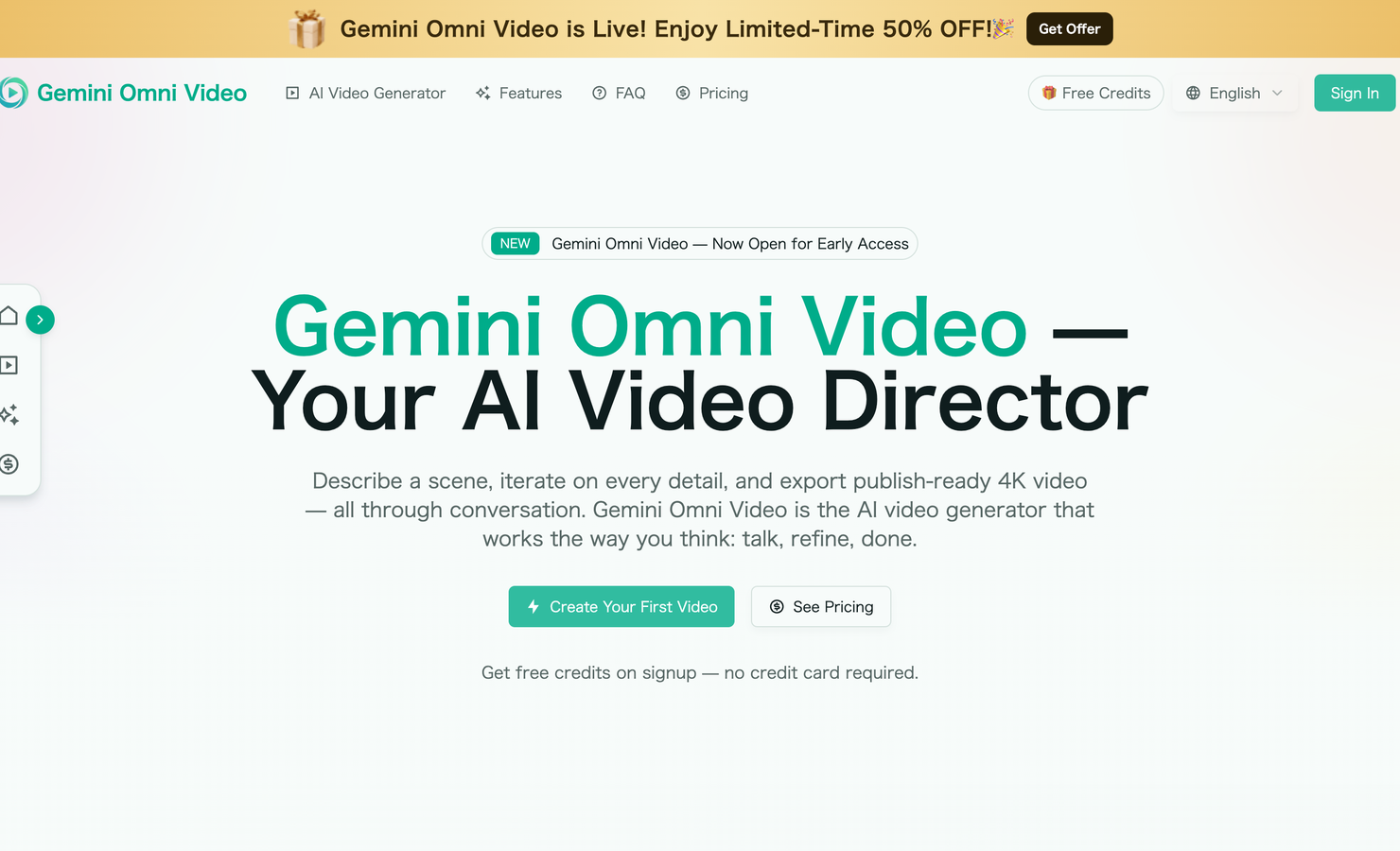
About
What is Gemini Omni Video? Gemini Omni Video is a conversational AI video generator designed to turn ideas, scripts, images, audio, and creative direction into polished, publish-ready video. Instead of working through a traditional editing timeline or repeatedly starting over with new prompts, Gemini Omni Video lets you direct a video through natural conversation. You describe the scene, review the result, ask for refinements, and continue improving the video until it matches your creative vision. Built around the idea that video creation should feel like briefing a human director or editor, Gemini Omni Video understands instructions such as make the lighting warmer, slow down the camera movement, add rain in the background, zoom in on the product, or make the scene feel more cinematic. It keeps the creative context of your session, so every adjustment builds on the previous version rather than forcing you to regenerate from scratch. Gemini Omni Video is made for creators, marketers, founders, agencies, educators, social media teams, and anyone who wants to produce high-quality AI video without complex editing software. It can generate video from text prompts, animate reference images, combine audio and visual inputs, maintain consistent characters across clips, and export videos in formats suitable for platforms such as YouTube, TikTok, Instagram, LinkedIn, product pages, ads, and client presentations. The core promise of Gemini Omni Video is simple: describe it, refine it, publish it. It turns video production into a creative conversation, helping users move from a rough idea to a polished 4K output in minutes. How to use Gemini Omni Video? Open the Gemini Omni Video website and start with a simple creative brief. You can type a scene description, paste a script, upload a product photo, add a reference image, include an audio clip, or combine several inputs at once. Gemini Omni Video reads these materials together and builds a unified understanding of the video you want to create. After the first generation, preview the video and continue directing it in plain English. You can ask Gemini Omni Video to change the camera angle, adjust the pacing, alter the lighting, modify the mood, replace a background, extend a shot, shorten an intro, add movement to a still image, or synchronize visuals with audio. Each round of feedback preserves the parts that are working while improving the details that need adjustment. When the video is ready, export it in the format you need. Gemini Omni Video supports outputs up to 4K and can produce landscape, portrait, or square versions for different publishing platforms. This means one creative idea can become multiple platform-ready videos without manually cropping, re-editing, or rebuilding the project. A typical workflow looks like this: • Start with a sentence, script, image, voice memo, product photo, or mixed media brief • Let Gemini Omni Video generate an initial video draft based on your input • Give feedback conversationally, just as you would with a creative director or editor • Refine details such as framing, style, pacing, characters, transitions, lighting, and audio • Export the finished result in 4K or in the aspect ratio required for your publishing channel Gemini Omni Video's Core Features Conversational video generation Gemini Omni Video lets you direct videos using natural language. You do not need to understand timelines, keyframes, compositing, or advanced editing workflows. You simply explain what you want and continue refining the result through dialogue. Context-aware iteration Unlike many one-shot AI video tools, Gemini Omni Video keeps your session context. If the first version is close but not perfect, you can ask for specific changes without losing the entire composition. This makes the editing process feel more like version control for video. Script-to-screen creation You can paste a script, outline, campaign concept, or short idea, and Gemini Omni Video can transform it into a fully rendered video with visuals, pacing, transitions, and matching audio. This is useful for creators who want to move quickly from concept to output without a separate storyboarding stage. Image-to-video animation Gemini Omni Video can take a still image, such as a product photo, illustration, sketch, portrait, or landscape, and animate it with natural movement. It can create camera motion, environmental changes, and context-aware visual effects while preserving the identity of the original reference. Multi-input creative workflow Gemini Omni Video accepts different input types, including text, images, audio, and video clips. You can provide a product photo along with a voiceover script, upload visual references while describing the mood, or combine several pieces of source material into a single coherent brief. Plain-language editing After generation, you can edit the video by telling Gemini Omni Video what to change. Requests such as make the scene moodier, reduce the camera shake, add a sunset glow, focus on the main character, or cut the opening shorter can be handled conversationally. Automatic audio matching Gemini Omni Video can generate synchronized sound, including ambient audio, sound effects, and dialogue aligned with the visuals. This reduces the need for a separate audio editing workflow and helps videos feel more complete from the first draft. 4K video export Gemini Omni Video supports high-resolution video export up to 4K, making it suitable for professional social content, advertising, product showcases, client work, landing pages, and high-quality brand assets. Multiple aspect ratios A single video project can be adapted for multiple formats, including 16:9 landscape, 9:16 portrait, and 1:1 square. Gemini Omni Video recomposes the scene for each format, helping avoid awkward manual cropping. Consistent characters across clips Gemini Omni Video can help maintain character consistency across scenes, preserving facial identity, clothing, and visual style. This is especially valuable for serialized content, brand mascots, recurring spokespeople, educational videos, and narrative clips. Cinematic scene control Users can guide camera movement, lighting, atmosphere, color grade, composition, motion, mood, and pacing. This gives creators more control over the final look while keeping the workflow accessible. Fast concept-to-publish workflow Gemini Omni Video is designed to reduce the overhead of traditional production. Instead of planning shoots, managing footage, assembling edits, and handling post-production separately, users can generate, revise, and export from one workspace. Gemini Omni Video's Use Cases Social media videos Gemini Omni Video is well suited for short-form videos on TikTok, Instagram Reels, YouTube Shorts, and other social channels. Creators can generate attention-grabbing clips, adapt them to vertical formats, and quickly test different creative directions. YouTube content For YouTube creators, Gemini Omni Video can help produce intros, cinematic B-roll, concept visuals, explainers, product sequences, and short promotional clips. The 16:9 export option makes it practical for long-form video workflows as well. Product marketing Brands can upload product photos or write a product-focused script and use Gemini Omni Video to create polished promotional videos. It can animate product shots, add camera movement, generate lifestyle scenes, and export assets for ads, landing pages, and ecommerce pages. Advertising campaigns Marketing teams can use Gemini Omni Video to develop ad variations quickly. One brief can become several versions with different formats, moods, hooks, and visual styles, making it useful for A/B testing and multi-platform campaign production. Startup demos and launch assets Founders and startup teams can use Gemini Omni Video to explain product concepts, visualize future features, create launch teasers, or build pitch-friendly video assets without hiring a full production team. Client work and agency production Agencies can use Gemini Omni Video as a rapid creative production tool for mockups, campaign drafts, pitch videos, social cuts, and final deliverables. The conversational editing model makes it easier to incorporate client feedback quickly. Educational videos Teachers, course creators, and training teams can turn lesson outlines into visual explanations. Gemini Omni Video can create short animated scenes, demonstrations, conceptual visuals, and narrated learning clips. Explainer videos Gemini Omni Video can turn complex ideas into concise visual stories. Users can describe a process, product, system, or concept and refine the scene until it communicates clearly. Storytelling and narrative clips Writers and filmmakers can prototype scenes, explore visual styles, test character direction, and create short narrative sequences. Consistent character support helps maintain continuity across multiple shots. Product pages and ecommerce Online stores can generate video assets from product photography, making product pages more engaging. Gemini Omni Video can add motion, context, lifestyle settings, and platform-ready formats for commerce channels. Real estate and architecture visuals Gemini Omni Video can help animate property images, architectural concepts, interior mood boards, and environment shots, turning static visuals into more immersive presentations. Music and audio-driven videos Because Gemini Omni Video can work with audio clips, it can be used to generate visuals that align with voice memos, sound design, dialogue, or music-inspired concepts. Personal creative projects Independent creators can use Gemini Omni Video for mood films, concept videos, visual experiments, animated images, personal branding content, and creative storytelling without technical editing skills. FAQ What is Gemini Omni Video? Gemini Omni Video is an AI video generator that works through conversation. You describe a scene, upload creative materials if needed, refine the output with follow-up instructions, and export a polished video. How is Gemini Omni Video different from traditional video editing software? Traditional video editing software requires timelines, clips, layers, effects, keyframes, and manual adjustments. Gemini Omni Video replaces much of that complexity with natural language direction. You tell the AI what you want, and it generates or edits the video for you. How is Gemini Omni Video different from other AI video generators? Many AI video generators work as one-shot prompt tools. If the result is not right, you often need to start again. Gemini Omni Video is designed for multi-turn refinement, so you can continue editing the same project while preserving the parts you like. What inputs can I use with Gemini Omni Video? Gemini Omni Video can work with text prompts, scripts, outlines, images, audio clips, and video clips. You can use a single input or combine several inputs into one creative brief. Can I generate a video from only a sentence? Yes. You can begin with a short description such as a luxury watch on a rainy city street at night, and Gemini Omni Video will generate an initial scene that you can refine through conversation. Can I use a product photo as a starting point? Yes. Gemini Omni Video can animate still images and product photos, adding motion, atmosphere, camera movement, and context while keeping the product visually recognizable. Can I edit a video after it has been generated? Yes. Editing is one of the main strengths of Gemini Omni Video. You can ask for changes to lighting, framing, duration, camera movement, background, character appearance, audio, style, and pacing. Does Gemini Omni Video support 4K export? Yes. Gemini Omni Video can export videos up to 4K resolution, making it suitable for professional publishing and marketing use. What aspect ratios does Gemini Omni Video support? Gemini Omni Video supports common publishing formats such as 16:9 for landscape video, 9:16 for vertical social video, and 1:1 for square feed posts. Can Gemini Omni Video create videos for TikTok and Instagram Reels? Yes. The 9:16 portrait format is designed for vertical platforms such as TikTok, Instagram Reels, and YouTube Shorts. Can Gemini Omni Video create YouTube videos? Yes. Gemini Omni Video can export landscape video for YouTube and can be used to generate intros, B-roll, explainers, shorts, product visuals, and cinematic sequences. Does Gemini Omni Video include audio? Gemini Omni Video can generate synchronized audio such as ambient sound, effects, and dialogue that matches the visuals, reducing the need for separate audio production. Can Gemini Omni Video maintain the same character across multiple clips? Yes. Gemini Omni Video is designed to support consistent characters across scenes, helping preserve identity, clothing, and visual style for multi-clip projects. Can I use Gemini Omni Video for commercial projects? Yes. Videos generated with Gemini Omni Video can be used for commercial purposes such as ads, social media campaigns, client work, product pages, and brand content. Do I need video editing experience to use Gemini Omni Video? No. Gemini Omni Video is built for users who want to create video without learning complex editing tools. If you can describe what you want, you can direct the video. Is Gemini Omni Video useful for professional creators? Yes. Professional creators can use Gemini Omni Video to speed up ideation, generate drafts, produce platform-specific versions, create visual assets, and handle revisions more efficiently. Can Gemini Omni Video help with ad variations? Yes. You can describe one campaign concept and then ask Gemini Omni Video to produce variations with different hooks, styles, formats, or moods for testing across platforms. Can Gemini Omni Video turn a script into a full video? Yes. Paste a script or outline, and Gemini Omni Video can generate matching visuals, transitions, pacing, and audio to create a complete video draft. Can I refine only one part of a video? Yes. Gemini Omni Video supports targeted feedback. You can ask to adjust a single scene, change one character, shorten one moment, or improve a specific visual detail while keeping the rest of the video intact. Who should use Gemini Omni Video? Gemini Omni Video is useful for content creators, marketers, entrepreneurs, agencies, educators, product teams, social media managers, filmmakers, ecommerce teams, and anyone who wants to create high-quality video faster. Why should I try Gemini Omni Video? Gemini Omni Video makes video production feel direct, flexible, and accessible. Instead of managing complex tools or starting over with every change, you can describe your idea, refine every detail through conversation, and export a polished video ready for publication.